Table of Contents
ToggleOutdoor wireless motion sensor lights are one of the smartest upgrades a homeowner can make for security, convenience, and energy savings. Unlike traditional outdoor lighting that stays on all night, a wireless motion sensor light activates only when movement is detected, cutting electricity waste while keeping your property safer. Whether you’re lighting a driveway, patio, or entryway, these battery-powered or solar-powered fixtures offer flexibility without the hassle of running electrical wiring. This guide walks you through what to look for, how to install them properly, and the mistakes to avoid so you get years of reliable performance from your investment.
Key Takeaways
- Outdoor wireless motion sensor lights activate only when movement is detected, reducing electricity waste while enhancing security without requiring electrical wiring installation.
- Mount wireless motion sensor lights between 6 and 10 feet high at a 30-degree downward angle to detect ground-level motion and avoid false triggers from animals or debris.
- Choose lights with adjustable sensitivity and time delay settings to prevent nuisance triggers from distant traffic or wildlife while matching your intended use case.
- Quality wireless motion sensor lights last 5 to 10 years with routine maintenance like quarterly lens cleaning and battery replacement on schedule to prevent leakage damage.
- Solar-powered models eliminate ongoing battery costs but perform best in sunny climates with at least 6 hours of direct daily sunlight, while hybrid options offer a balanced alternative.
- Avoid common installation mistakes such as mounting too high, ignoring the desiccant packet, failing to remove lens protectors, and spacing multiple lights too close together.
What Are Outdoor Wireless Motion Sensor Lights?
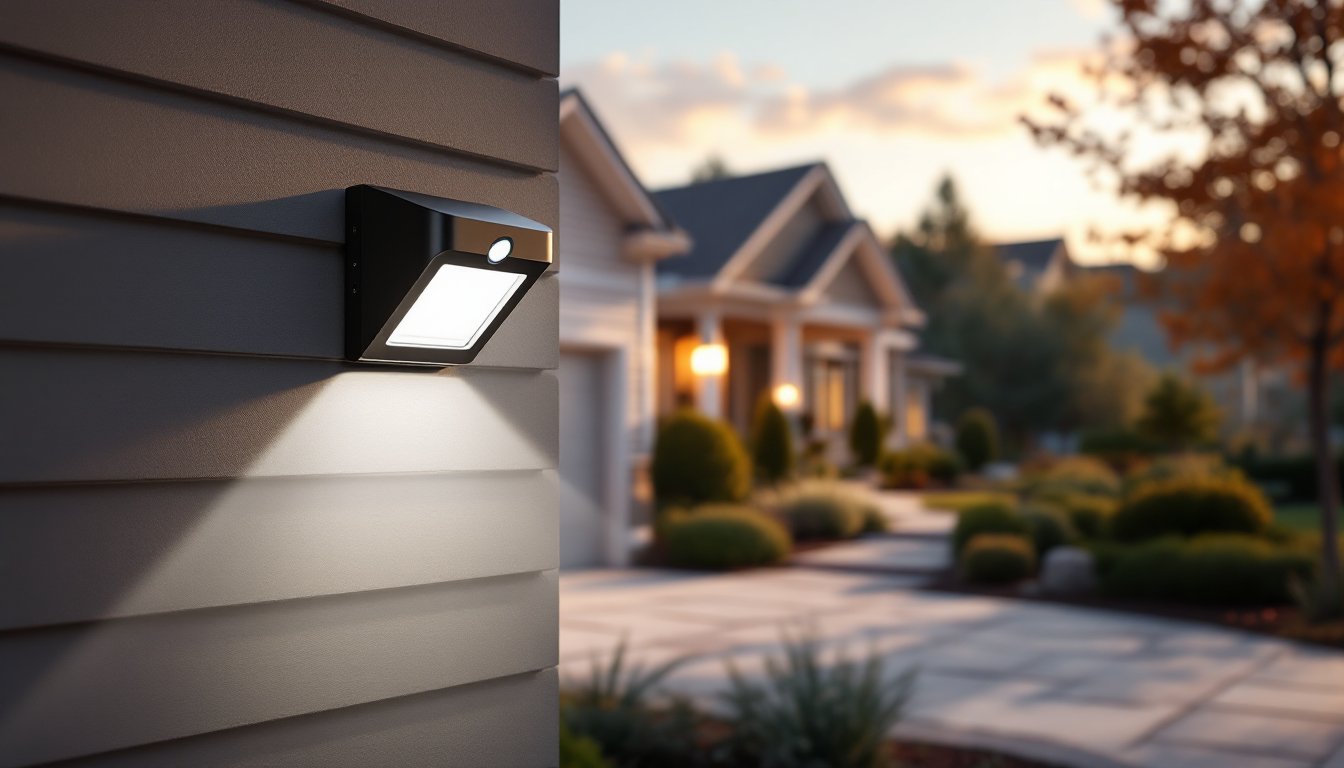
An outdoor wireless motion sensor light is a self-contained fixture that combines an LED light source, a passive infrared (PIR) sensor, and a power source, usually rechargeable batteries or solar panels, all in one weatherproof housing. When motion is detected within the sensor’s range (typically 20 to 40 feet), the light switches on automatically and stays illuminated for a preset duration, usually 30 seconds to 5 minutes.
These lights differ fundamentally from hardwired motion sensor fixtures, which require an electrician to run conduit and wire to your home’s main panel. Wireless models sidestep that complexity entirely. They mount with adhesive strips, brackets, or screws to walls, eaves, fence posts, or garden stakes. The “wireless” designation means no electrical wiring connects them to your house, just battery management or solar charging.
They come in various styles: sleek modern designs, traditional sconces, floodlights, and stake-mounted garden lights. Some integrate smart features like app control or scheduling, while others stick to straightforward on-demand activation. Power sources range from standard AA or AAA batteries (replaced annually or every few years) to built-in lithium-ion packs recharged via micro-USB, to integrated solar panels that charge during daylight.
Key Benefits For Homeowners
The appeal of a wireless motion sensor light boils down to three major wins: security, convenience, and savings.
Security is obvious. A light that blazes on when someone approaches your door or driveway deters opportunistic thieves and creates a record of activity (especially with built-in cameras). You’re not broadcasting an empty house with porch lights on 24/7, you’re actively responding to presence.
Convenience means no more fumbling for a switch in the dark. Walk up to your garage, and the light’s already on. Return from a late evening, and the entryway illuminates automatically. For renters or homeowners who dislike permanent wiring work, wireless units are plug-and-play.
Energy savings speak for themselves. A motion-activated light uses power only when needed. Over a season, that adds up, especially compared to traditional dusk-to-dawn photocell lights that burn all night. Solar-powered models eliminate battery costs altogether, though they work best in sunny climates and may dim in winter.
Also, wireless fixtures require no permits or inspections since they’re not hardwired to your electrical system. Installation is a 10-minute job for most homeowners. And if you move or renovate, you can take the lights with you, no rewiring necessary.
Installation and Placement Tips
Proper placement makes or breaks performance. A poorly positioned sensor triggers constantly or misses real motion entirely.
Height and angle matter. Mount motion sensor lights between 6 and 10 feet high, low enough that the sensor “sees” people approaching at ground level, high enough to avoid false triggers from small animals or blowing debris. Angle the sensor slightly downward, around 30 degrees. Most PIR sensors have a detection range of 20 to 40 feet and a horizontal field of view of about 120 degrees, so aim the fixture to cover your target zone (a doorway, walkway, or driveway approach).
Avoid direct heat sources. Don’t mount your wireless motion sensor light next to a heat pump, vent, or sunbaked wall. Rapid temperature shifts confuse the sensor and cause nuisance triggers. Similarly, point the sensor away from heating systems or AC units.
Clear obstructions. Bushes, tree branches, or fence slats that sway in the wind block the sensor’s view and create false alarms. If trees are near the mounting spot, trim lower branches or choose a different location. Dense vegetation doesn’t just block light, it blocks motion detection.
Test range before finalizing. Most wireless models let you manually test the sensor. Walk the perimeter of your intended coverage area and note dead zones. Adjust the mount or select an alternate location if the sensor misses key passages. According to expert reviews, the best outdoor motion sensor lights are positioned to cover primary entry points and high-traffic zones.
Power placement. If using battery-powered units, mount them where battery replacement is accessible (not 12 feet up on a fascia). For solar models, ensure the panel faces south or southwest and receives at least 6 hours of direct sun daily. Shade from roofs or trees drastically reduces charging efficiency.
Essential Features To Look For
Not all wireless motion sensor lights are created equal. Prioritize these features when comparing options.
Brightness and color temperature. Light output is measured in lumens: 400 to 800 lumens is suitable for a porch or entryway, while floodlights may deliver 1,200+ lumens for driveways or parking areas. Color temperature ranges from warm (2,700K, yellowish) to cool (5,000K+, white). Warm light feels welcoming on a porch: cooler light is better for security since it mimics daylight and renders faces more clearly.
Sensor sensitivity and time delay. Adjustable sensitivity lets you fine-tune how easily the sensor triggers, critical for avoiding false alarms from distant traffic or wildlife. Time delay (how long the light stays on after motion stops) should be adjustable from 30 seconds to 3 or 5 minutes, depending on your use case. A 30-second delay suits a hallway: a longer delay works for a patio where people linger.
Weather resistance. Look for IP65 rating or higher (IP stands for Ingress Protection). IP65 means the fixture resists dust and low-pressure water jets, adequate for most climates. IP67 adds submersion tolerance and suits areas prone to heavy rain or salt spray. Check materials: aluminum or stainless steel housings outlast plastic in harsh weather.
Power options. Battery-powered lights cost less upfront but require annual or biennial replacements. Solar models eliminate battery costs but perform poorly in cloudy regions. Hybrid options (solar + battery backup) offer a middle ground. Recent reviews comparing top models show that lithium-ion rechargeable batteries outlast traditional alkaline cells by 3 to 5 years.
Smart features (optional). App control, scheduling, and integration with voice assistants are nice-to-haves. They add cost and complexity but allow remote monitoring and custom routines. If you value simplicity over tech, skip this: basic motion-only models work reliably for decades.
Common Mistakes To Avoid
Installation mishaps and unrealistic expectations derail many wireless motion sensor light projects.
Mounting too high. A light 15 feet up on a two-story eave looks impressive but the sensor angle makes it miss ground-level motion. The PIR sensor’s field of view narrows with distance: height beyond 10 feet requires repositioning or a wider-angle sensor. Don’t prioritize aesthetics over function.
Ignoring the desiccant. Many wireless fixtures include a small desiccant packet inside. Leaving it in place extends the unit’s lifespan by absorbing internal condensation. Removing it “to save space” invites corrosion and failure within a year.
Poor battery choices. Using dollar-store alkaline batteries instead of quality brands or rechargeables wastes money over time. Cheap cells leak corrosive electrolyte into the circuit board. Invest in name-brand alkalines or consider the long-term payoff of a rechargeable model.
Forgetting to remove the lens protector. Many new fixtures ship with a clear plastic film on the lens. Forgetting to peel it off before installation kills sensor performance and dims output. Check before mounting.
Setting sensitivity too high. Maxing out sensor sensitivity causes false triggers from distant motion (passing cars, swaying trees, neighborhood pets). Start at 50% sensitivity and adjust upward only if the light fails to trigger on intended activity.
Placing two lights too close together. If you’re installing multiple fixtures on the same wall or corner, space them at least 8 to 10 feet apart. Overlapping sensor ranges trigger both lights constantly, wasting power and annoying neighbors with frequent activation. A step-by-step installation guide details proper spacing and mounting techniques.
Maintenance and Longevity
Wireless motion sensor lights are low-maintenance, but a few steps extend their life significantly.
Clean the sensor lens quarterly. Dust, spider webs, and pollen coat the lens and reduce detection range. A soft, dry cloth or a damp microfiber wipe restores clarity in seconds. Avoid abrasive scrubbers that scratch the lens.
Replace batteries on schedule. Even if the light still works, swap batteries annually (or per manufacturer specs) to prevent leakage damage. Rechargeable solar models need less intervention, but check that the solar panel isn’t cracked or heavily soiled, clean with a damp cloth once or twice a year.
Inspect housing and seals. After storms or seasonal changes, check the fixture for cracks, loose seals, or corrosion around mounting hardware. Tighten loose screws and re-seat weatherstripping if gaps appear. Catching small issues prevents water infiltration and circuit failure.
Shield from extreme conditions. In winter climates, snow buildup can bury the sensor. In summer, intense direct sun can degrade plastic components. If possible, aim the fixture at a slight angle so rain and snow shed naturally, and consider temporary shade cloth during the hottest months.
Test periodically. Manually trigger the sensor every month or two by walking past it. If the light fails to activate, check battery voltage (most units have a low-battery indicator), clean the lens, and test again. Catching failures early is far cheaper than replacing a unit that’s been dark for weeks.
Most quality wireless motion sensor lights last 5 to 10 years with routine care. Budget accordingly, and you’ll avoid surprises when aging units finally reach the end of their service life.
Conclusion
An outdoor wireless motion sensor light is a straightforward, rewarding upgrade that boosts security and cuts wasted energy. The key is choosing a model suited to your climate, mounting it strategically, and maintaining it annually. Whether you’re lighting a path, securing a garage, or adding convenience to a patio, these fixtures deliver results without hiring an electrician or running conduit. Transform your backyard with smart outdoor lighting strategies that blend function and style, motion sensors are a proven first step.